Page 01 / 08
Put the request, deadline and destination on one small card
A wedding video guest-book invitation should answer three questions quickly: what to send, when to send it, and where it goes. One warm prompt is enough. Give people a written-message or photo option so participation does not depend on recording a performance.
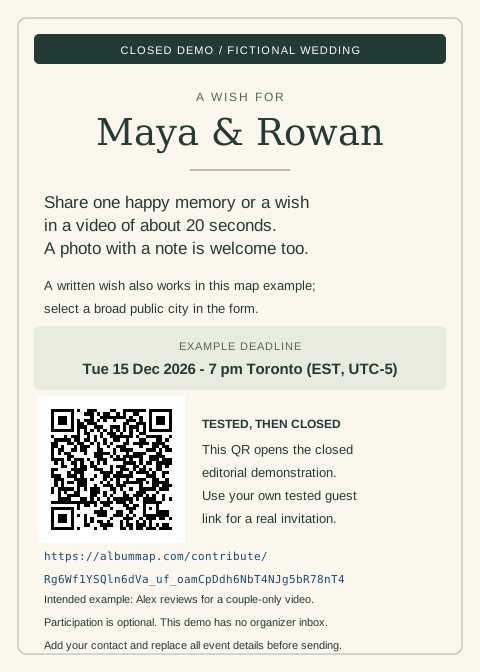
The wording below is fictional. A downloadable 5 × 7-inch card also shows the complete layout with a tested demonstration destination. That demo is now closed; replace its link and QR with your own tested event destination before printing.
Page 02 / 08
Copy a compact invitation
This fictional deadline is 00:00 UTC on 16 December. The example assumes the reception has already happened and the private video will be delivered later. If the film will play at the wedding, move the collection deadline before the event and allow time for review and playback testing.
About 20 seconds is a request for this example, not the service’s file limit. Replace the agreed audience too: a reception screening, a couple-only gift and a public social edit are different permissions.
Page 03 / 08
Use the printable compact-card example
Open the printable 5 × 7-inch card or download its vector SVG. The dark-on-light layout includes the request, concrete deadline, QR, readable direct URL and intended audience. It is labelled CLOSED DEMO throughout.
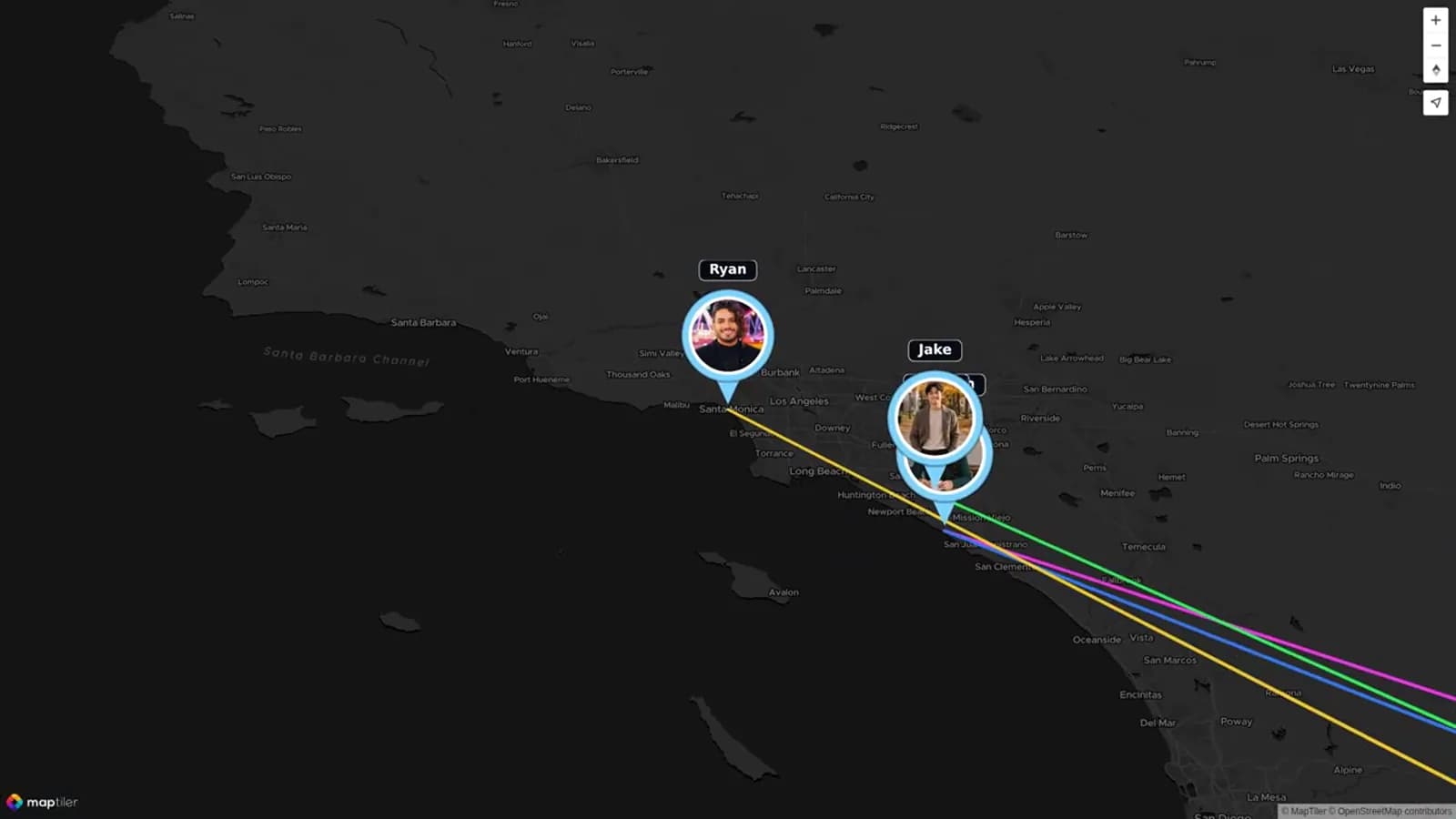
On 26 October 2026, a signed-out guest in a separate browser opened that exact destination, submitted a synthetic written wish and selected Montreal, Quebec, Canada. The organizer received the same name, city and full message as one pending contribution. This map-style check used no attached photo, video or avatar.
Afterward, the organizer set the actual collection date to 25 October 2026. The landing page showed Submissions are closed, and the upload route reported that the link had expired. The December deadline printed on the fictional card is an example request deadline, not the closed demo’s actual collection date. Do not reuse or reopen this demonstration for a real event.
For your version, replace the couple, prompt, deadline, time zone, audience and reviewer; add an organizer contact that accepts help and removal requests. Replace both the direct link and its QR. The fictional card does not provide a real organizer inbox.
Print at 100% on 5 × 7-inch paper, with browser headers and footers off. Software decoding confirms the QR payload, but a physical-paper scan on guest phones remains part of your own preflight. The dated test and reuse record distinguishes the completed guest-link check from media upload, final export and physical-device checks.
Page 04 / 08
Use a simple card layout
| Card area | Content |
|---|---|
| Top | Couple’s names and one request. |
| Middle | Prompt and suggested length, with a photo or note alternative. |
| Lower panel | Complete deadline, QR space and a readable direct link. |
| Footer | Organizer contact and intended audience. |
Use dark text on a plain background, generous spacing and a QR code large enough for the intended printed size. Keep the direct link in selectable text in the accompanying email or message. A QR code encodes a destination; it does not add a password or stop forwarding.
Follow the wedding QR printing guide for the actual paper scan check. Do not print the placeholder above or encode the organizer’s editor URL.
Page 05 / 08
Check the real guest destination before distribution
- Sign in as the organizer, save the project and obtain its contribution link.
- Open that link outside the organizer’s session; confirm the couple’s names and request.
- Use a permitted test photo or short clip, optionally with a written note, finish the submission and check owner receipt. Test the organizer’s separate contact route for written-only notes.
- Confirm the printed QR opens that same destination on the phones guests will use.
AlbumMap’s contribution route is for the guest’s own submission, not a shared gallery of everyone’s messages. An anonymous return visit uses the same browser. Do not assume passing one anonymous tablet between guests creates separate records for each person.
The completed demonstration above verifies a map-style written submission and owner receipt on one computer using separate browsers. It does not prove your event’s file upload, phone scan or final-video delivery. Keep your real event link limited to its intended guests and test it before distribution.
In AlbumMap’s slideshow guest form, a written message needs a photo or video attachment. Offer the organizer’s direct contact for a note without media; do not describe that alternative as a successful form upload.
Page 06 / 08
Offer alternatives that the collection can accept
Ask for a photo or written message through the supported guest fields. If someone prefers an audio-only note, agree a separate supported delivery route with the organizer first; do not promise that an audio file can be attached to a photo/video-only field.
A place is optional for the invitation’s wording. If you choose a map-format collection, explain the required location selection in the form and accept a broad city or public venue. Slideshow style is simpler when the couple wants wishes without a route.
Page 07 / 08
Agree the audience and export conditions
Review current plans and the permission FAQ before promising a private gift. Free can collect submissions, but its video exports exclude guest contributions; video-credit exports permit up to four included guests.
Keep received files available only to the agreed reviewer. Approving a contribution for the edit is separate from permission to publish it more widely. Ask guests to contact the organizer about corrections or removal, and preserve those instructions with the selected material.
Published pricing and FAQ checked on 26 October 2026. The demonstration used an administrator account displaying Premium; it does not test ordinary-plan export access.
Page 08 / 08
Send one useful reminder and finish the collection
Reminder: “If you would like to leave a wish for Maya and Rowan, please use [same guest link] by 15 December at 7 pm Toronto time. A short message or photo is plenty. No pressure if you cannot join.”
Replace the example details and stop reminding people who submitted or declined. Review the received material while there is time to correct an unreadable note or an inaudible recording. After the deadline, check the finished video on the intended device and lock collection when appropriate.
For the full collection and editing process, continue to the wedding video guest-book guide. Keep this card focused on helping a guest make one contribution.
Summary sheet
Plan at a glance
- Put the request, deadline and destination on one small cardp.01
- Copy a compact invitationp.02
- Use the printable compact-card examplep.03
- Use a simple card layoutp.04
- Check the real guest destination before distributionp.05
- Offer alternatives that the collection can acceptp.06
- Agree the audience and export conditionsp.07
- Send one useful reminder and finish the collectionp.08
Helpful answers
Frequently asked questions
Does this article provide a live contribution link?
The downloadable card uses a fictional couple and a real demonstration link tested on 26 October 2026. That collection is now closed. Create and test your own event link, replace both the direct URL and QR, and add your organizer contact before sending a real invitation.
Can the invitation promise an audio-note upload?
Only after checking a supported audio route. A separate audio note should be arranged with the organizer when the guest form accepts photos and videos rather than standalone audio.
Can one QR code collect messages and show the finished film?
The contribution QR is for collection. Deliver the finished film separately through the agreed viewing method.