Step 1 of 7
Make the voices the reason for the video
A wedding video guest book preserves short memories and wishes spoken by guests. It is a different task from documenting the ceremony or collecting every reception photograph. Choose a manageable group, a planned audience and a person who will finish the edit.
Start with one prompt and a direct organizer contact for a written-note alternative. For example: “Tell us one memory we share, or one wish for our life together.” Put creative prompt discovery in its own guide; this page focuses on recording, receiving and finishing the video.
Use wedding video guest-book ideas when choosing the question, or digital guest-book formats when the couple may prefer photographs or written wishes.
Step 2 of 7
Choose the collection path and test it before the reception
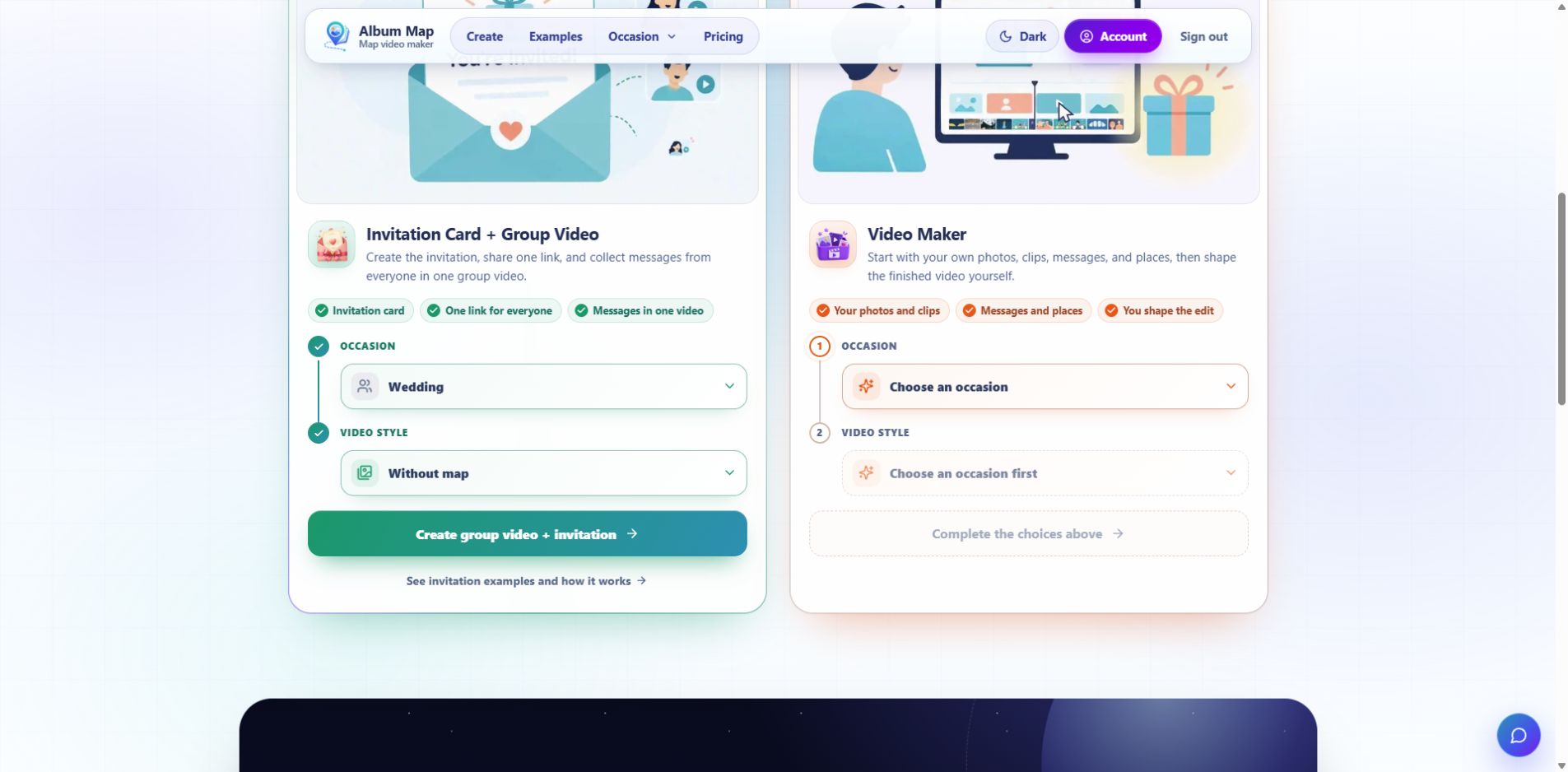
For AlbumMap, open the builder chooser and choose Invitation Card + Group Video → Wedding. Select Without map for a straight message sequence, or With map when the locations explain the memories.
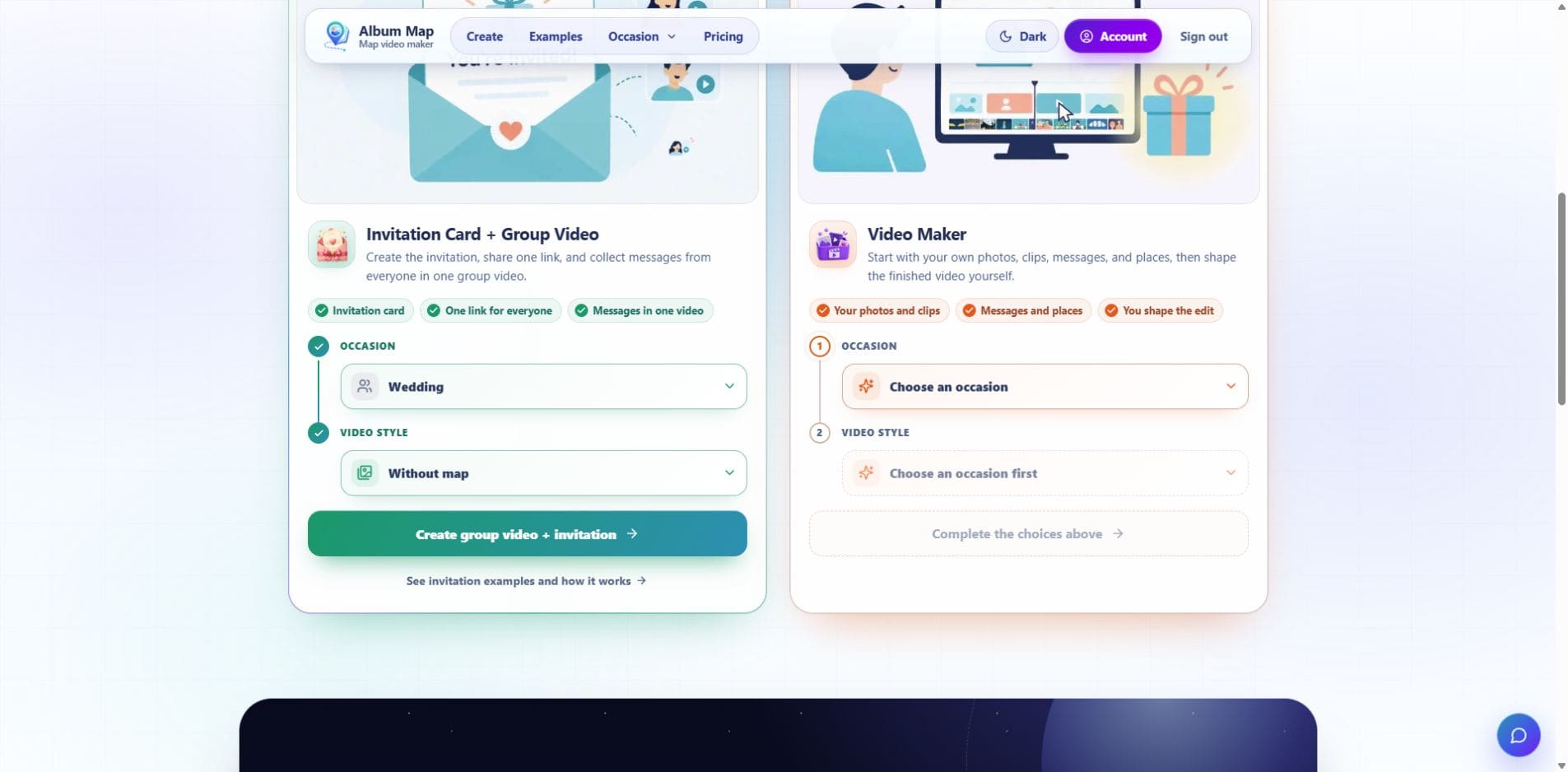
Open the full-size wedding chooser screenshot to read the current starting controls.
- Set the couple’s names, request, audience and contribution deadline. Sign in and save the album before creating a guest link.
- In Guest uploads, use the contribution URL or QR code. Open the guest destination separately from the organizer session.
- Record a short permitted test with the helper’s phone camera, then choose it under Media on the contribution page. Add Name and the relevant note; select a Map location if the project uses map stops.
- Use Upload for review and confirm the received item in the organizer’s Guest uploads. Check its actual picture and speech before approving it.
- Review the selected material in the project, export a representative sample under appropriate terms and play that file on the planned viewing device.
The Media picker accepts an existing recording. Whether a phone also offers its camera from that picker depends on the device and browser; do not print instructions that assume a separate in-page recording booth has been verified.
Step 3 of 7
Set up a quiet place without making guests perform
Test the position with the reception sound at a realistic level. Place the camera near eye level, face the speaker toward the light, and keep the microphone away from the loudspeaker. Listen to the test recording; a quiet-looking corner may still carry the DJ or kitchen noise.
An example request is a 20-second memory recorded in the final video’s intended orientation. Check the project’s source-file and export limits before setting that request. A useful sentence, a laugh and a clear closing matter more than hitting an exact word count.
Keep a helper nearby for people who want assistance, and let guests decline or use a note. For one shared device, verify that each recording and name are stored separately. AlbumMap’s anonymous return behavior can reopen the same browser’s submission; it is not proof of a multi-person booth mode.
Give the station a short instruction: “Choose one memory or wish. Record a short clip, then add it at [guest link] for [organizer] to review. For a written note without media, contact [organizer contact] directly.” Replace the link and audience details, and test the real sign.
Step 4 of 7
Review the contribution before it becomes part of the gift
Guests can submit through a browser without an account or an app. They do not see other submissions. Anonymous guests return from the same browser to edit; signing in first allows returning with that account on another device.
Under Guest uploads, the organizer reviews the item and chooses Approve or Reject. Check the name spelling, audible speech, accidental background details and any audience limits. Keep a speaker’s meaning intact when trimming.
For QR layout, reminders and source-file collection, use the wedding-photo collection workflow. For inclusion and wider sharing decisions, use the guest-upload privacy guide.
Step 5 of 7
Choose a plan for the actual group and audience
Read the current pricing with the organizer before inviting the full group. Free collection does not include guests in a finished video export. Video-credit exports permit up to four included guest contributions and have other album and duration limits. Collecting files does not promise an unlimited group export.
Free exports grant AlbumMap permission to feature the video on its public Examples page; exporting does not publish it automatically. Paid exports do not require that permission. A private wedding request should not silently turn into permission for public promotion.
The upload FAQ states the current source limits and accepted formats. For the selected memories, choose locations only when they help the story; a broad city or venue can be enough. Product references were checked on 24 October 2026.
Published plan limits rechecked on 26 October 2026; this source check does not replace the helper-phone and export rehearsal.
Step 6 of 7
Use the question guide, then verify the receiving route
Choose the question and invitation wording in the wedding guest-book prompt and sign guide. Bring one approved prompt back to this workflow, then test the real receiving path with the helper.
A collection QR code does not establish a live screen or guest gallery. Guests do not browse other submissions; show any example separately only with permission. Individual phones are the default until a shared-device handoff has been checked for names, files and return access between guests.
Keep the collection open only for the announced period if the selected setup supports it. Review late submissions before including them and close the collection when promised. The helper-phone, fresh-guest, organizer-approval, export and failure-handling rehearsal remains a separate verification task.
Step 7 of 7
Build one sequence, then test the exact export
Open with a short introduction, let different relationships contribute distinct memories, and finish with one clear wish. Keep photographs beside the stories they explain. Check captions against the actual speech and listen to the exported audio before adding more music.
The message compilation guide provides a worked edit. Choose a soundtrack using the music-rights checklist and keep the agreed viewing audience attached to the finished version.
Play the exact file on the device used for the reveal or venue screening. Check names, crops, speech, captions and the final frame. Keep a second agreed delivery copy. Download the finished video before the dashboard’s expiry; the published download window is 48 hours.
Keep any verified source archive separately from the timed edit. Lock the contribution link when collection ends. A replay link goes to the promised audience; public sharing needs its own review.
Finish line
Route complete: 7 steps
Need to check something again? Jump straight back to any stop.
- 1Make the voices the reason for the video
- 2Choose the collection path and test it before the reception
- 3Set up a quiet place without making guests perform
- 4Review the contribution before it becomes part of the gift
- 5Choose a plan for the actual group and audience
- 6Use the question guide, then verify the receiving route
- 7Build one sequence, then test the exact export
Helpful answers
Frequently asked questions
Do we need a professional recording booth?
No. A phone can provide a useful recording, with a tested quiet position, clear framing and a helper where needed. Verify the collection tool’s actual support before treating a shared browser as a multi-guest station.
Can remote guests participate?
They can use the same contribution destination before the deadline. Give them the same audience information, prompt and recording instructions.
Is choosing a video file the final submission?
No. Finish with Upload for review and confirm that the organizer can see and review the received item under Guest uploads.
Where can we find creative questions for guests?
Use the separate wedding video guest-book ideas article. Keep this workflow focused on recording, collection, review and delivery.