Step 1 of 6
Choose what the couple will revisit
A digital wedding guest book is a collection of contributions; its final form might be written wishes, a photo gallery or an edited video. Choose that final form before asking guests to upload. A service that collects several media types does not necessarily provide every kind of keepsake.
| The couple wants… | Check this output before collecting |
|---|---|
| Written wishes to reread | Readable notes, the recipient’s access and an available lasting copy. |
| Photographs to browse or print | A gallery or original-file archive with the retrieval and quality needed for that use. |
| Faces and voices in a video | A contribution and editing workflow, an export that fits the group, and a tested viewing copy. |
AlbumMap collects photos, clips and written memories for an owner to review and use in a slideshow or map video. Its contribution page is not a guest-facing gallery, and a video download is not a print-ready guest book. Choose it when that video output is what the couple wants.
| Promise on the invitation | Evidence needed before making it |
|---|---|
| “Read everyone’s wishes” | An actual recipient-facing written collection; a contribution form is insufficient. |
| “Download the original photos” | A successful original-file retrieval test from the chosen archive service. |
| “Watch our wedding video” | The reviewed exported movie and a separate working viewing destination. |
Choose the keepsake first. The wedding slideshow versus guest-book comparison weighs the formats; the video guest-book setup guide covers the recording workflow after that choice. A photo archive, a written book and a video export should not be promised as interchangeable deliverables.
Step 2 of 6
Know what each person can open
| Person | AlbumMap access and responsibility |
|---|---|
| Organizer | Signs in and saves the album, creates the contribution link, reviews submissions and chooses the final material. |
| Guest | Opens the invitation or contribution destination in a browser, adds their own submission and sends it for review. No installed app or guest account is required. |
| Couple or final audience | Receives the agreed finished video or other separately prepared keepsake. The contribution link is not the finished viewing copy. |
Guests do not browse other submissions or edit the main project through the contribution page. An unsigned guest can return from the same browser to update their own submission; signing in first supports returning with that account on another device.
Check the guest-contribution FAQ with the person managing the collection. Do not promise additional reviewer accounts, a public wall of messages or a printed-book export without verifying the service you choose.
In the 26 October 2026 synthetic collection trial, a separate signed-out browser submitted a photo and note, returned to edit them, and triggered a new owner review after approval. The owner then updated the same saved memory. The trial used a birthday slideshow and an administrator account displaying Premium. It supports that review sequence on one computer; physical phones, ordinary-plan exports and final delivery were not verified.
A separate fictional wedding invitation check used a saved map-style project. A signed-out guest sent a written wish with a selected public city; the organizer received the exact name, city and note. The organizer then closed the demo with an elapsed date, and the guest upload control became unavailable. This was a written-note collection check, not a finished wedding keepsake.
Step 3 of 6
Start the wedding collection with the correct choice
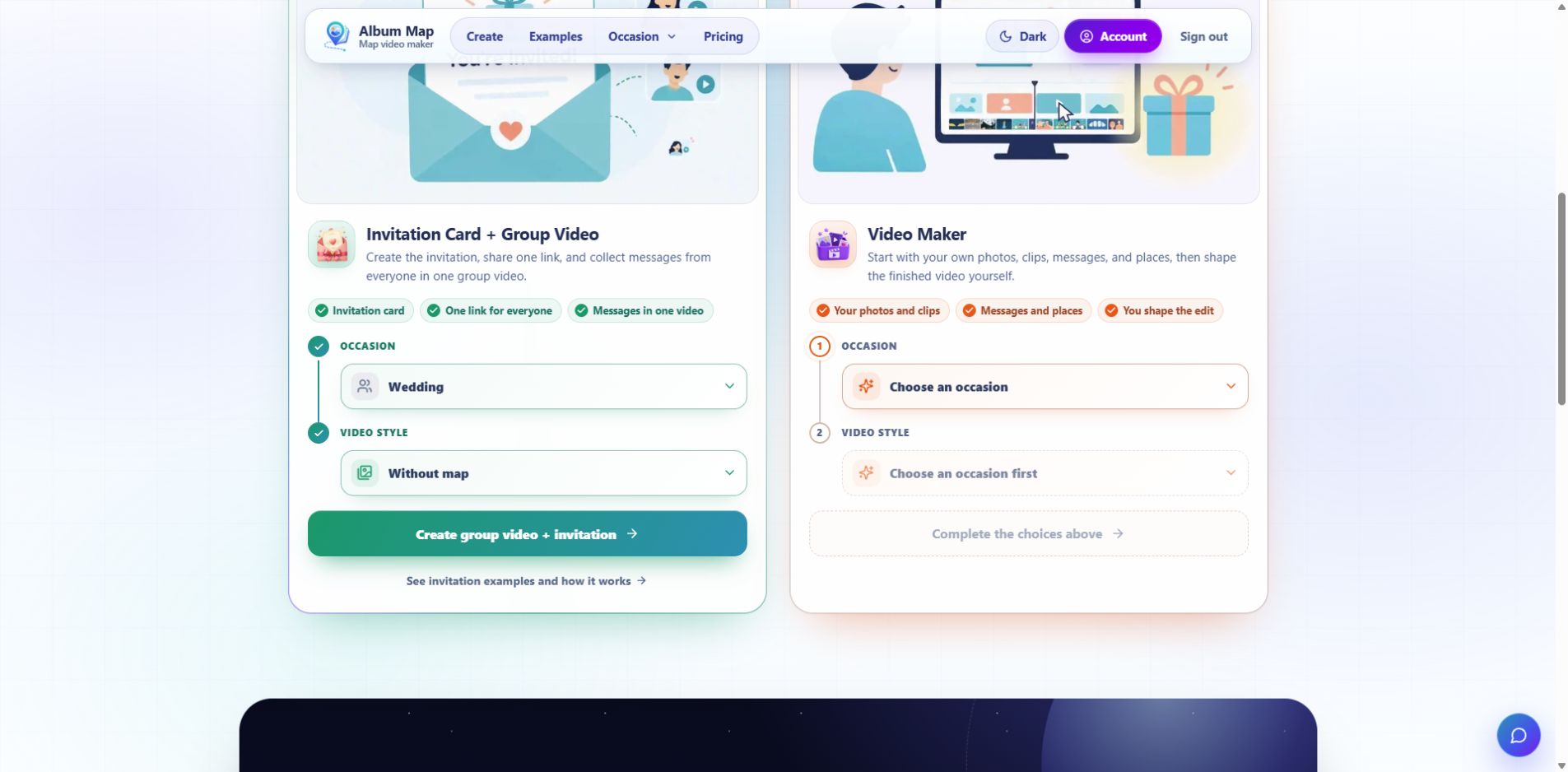
On the builder chooser, select Invitation Card + Group Video, Wedding, and the video style. Without map suits a collection of wishes and pictures. With map adds place context and requires locations for the memories shown as map stops.
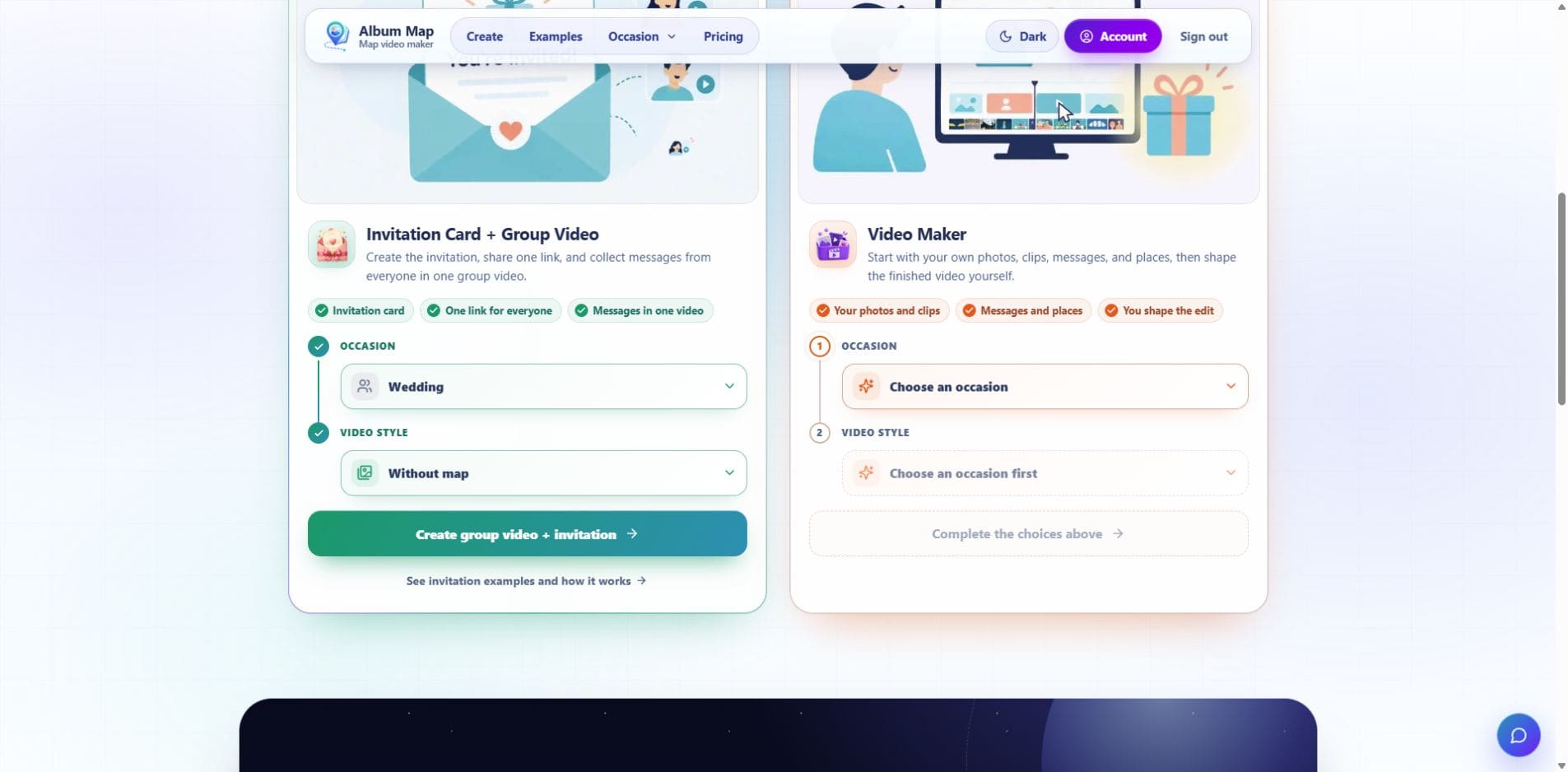
Open the full-size wedding chooser screenshot to read the controls on a smaller screen.
Set the names and invitation wording, then sign in and save before creating the actual guest contribution link. Check the guest destination separately from the organizer’s editor. Give it a clear deadline and an audience the couple has agreed to.
The wedding-photo collection guide covers the received-file review, sign wording, QR printing link and archive decisions. Keep those logistics in one place instead of sending guests several competing upload links.
For the Without map slideshow, the guest form requires a photo or video attachment. A written message can accompany it. Give guests a direct organizer contact for a note without media, and agree separately how to preserve or include that note.
Step 4 of 6
Ask for one contribution with an easy alternative
“Please send a favorite photo with a wish or a short video memory for [couple] at [guest link] by [deadline and time zone]. For a written note without media, send it directly to [organizer contact]. [Organizer] will review the collection for [agreed audience and keepsake]. Contact [organizer] with a question or removal request.”
Replace the bracketed details before sending it. Offer a concrete prompt such as “What ordinary moment with us do you remember?” Avoid making every guest answer several questions or provide all three media types.
Invite remote friends to use the same contribution destination. They can send an older memory or a wish without pretending they were present on the wedding day.
For a shared tablet or recording station, verify how the chosen tool separates people. AlbumMap’s same-browser return behavior is designed to find that browser’s own submission; do not assume handing one browser to the next guest creates a fresh independent record. Use guests’ own phones or a separately tested supported station workflow.
Step 5 of 6
Separate inclusion, final sharing and storage
The organizer sees Guest uploads and can Approve or Reject a submission for the project. That inclusion decision does not automatically authorize posting every person’s image or message publicly. Keep any audience restrictions beside the selected material.
Review the final export terms before promising a private keepsake. Free exports grant AlbumMap permission to feature the video on its public Examples page, although exporting does not publish it automatically. Paid exports do not require that permission. Free can collect contributions, but its video exports exclude guest contributions. Video-credit exports have a four-included-guest limit.
Read the current plans and privacy and permission FAQ before collecting the full group. The pricing and permission references were rechecked on 26 October 2026. These are published terms, not tests of ordinary Free or paid-account exports.
Decide separately how to preserve original photographs and notes. Test any required original-file retrieval instead of inferring it from a playable preview. Save the finished video before the dashboard’s 48-hour download expiry, and keep the agreed archive in a destination the couple controls.
The wedding-photo comparison recovered one owner-editor source image identical to its uploaded PNG, while its thumbnail was smaller. That inspection does not establish a normal original-file archive download or the couple’s final delivery. Keep those checks in the handoff plan.
Step 6 of 6
Check the handoff before calling it a guest book
For recording-space setup and the video-making sequence, continue to the wedding video guest-book guide. For a written or photo-first keepsake, verify that output directly before committing guests to a video workflow.
Finish line
Route complete: 6 steps
Need to check something again? Jump straight back to any stop.
Helpful answers
Frequently asked questions
Is every digital wedding guest book a video?
No. It may preserve written wishes, photographs or recorded messages. Choose the finished form and check the service’s available outputs before collecting contributions.
Can guests see everyone else’s AlbumMap submissions?
No. The contribution page is for the guest’s own submission. The saved-album owner reviews material for inclusion in the main project.
Can we use one anonymous browser for every guest?
Test the chosen service’s supported station workflow first. AlbumMap remembers the browser’s own submission, so a shared browser should not be assumed to create separate records for each person.
Does the contribution link deliver the finished guest book?
It collects material. Share the agreed final video, gallery or written keepsake through its own tested delivery method.