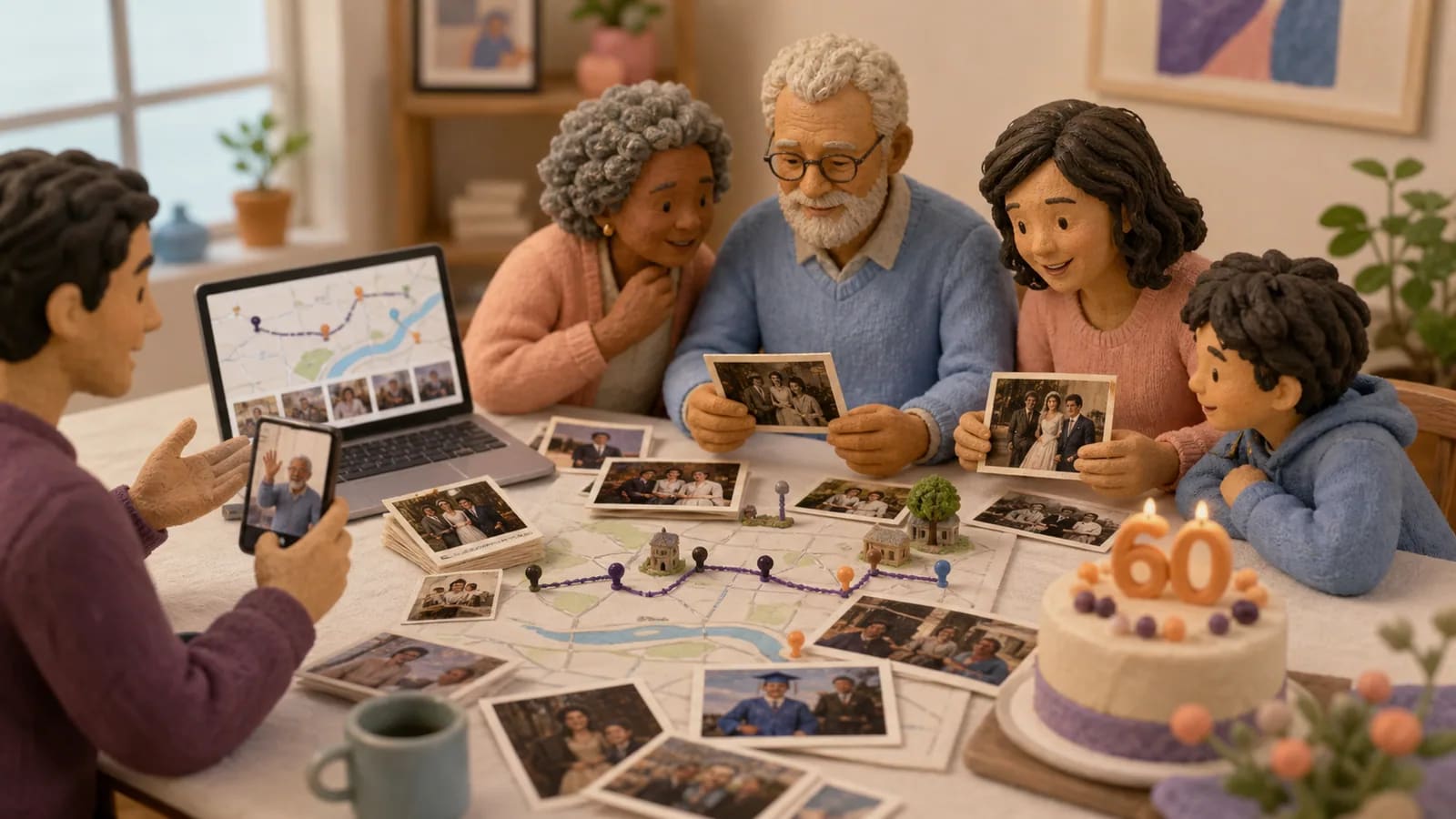
A personal 60th birthday video needs a story, a few familiar voices, and an ending worth saving. Start with a three- to five-minute plan, invite people from different chapters of the recipient's life, and ask each person for one specific memory. You can use photos, short clips, written wishes, and meaningful places without trying to document all sixty years.
Below are twelve themes and a complete five-minute storyboard for a fictional recipient, Alex. You can adapt its timings, copy the invitation, and follow screenshots from AlbumMap's actual birthday workflow. The birthday demonstration shows the product's video format; the Alex plan is an illustrative brief, not a customer case study.
- Suggested starting material: 12–16 photos and about eight short messages.
- Suggested message length: 10–20 seconds per person; a written wish works too.
- Suggested schedule: invite two weeks ahead and close collection a week before the reveal.
- Choose a slideshow when faces and voices are the story; use a map when the places help explain the memories.
Idea card 1 of 9
Watch a birthday video made with AlbumMap
Watch how the map moves between contributions, then open the birthday video example and free planning kit for a reusable worksheet and checklist. You can also compare the options on the birthday video maker page.
Idea card 2 of 9
Worked example: Alex's 60th in five minutes
Imagine Alex's family and friends live in different cities. The brief is simple: show a few early memories, bring in people from several eras, and finish with something Alex wants to do next. Ask one organizer to choose the sequence and one other person to check names, dates, and sound.
| Time | Chapter | What to collect or say |
|---|---|---|
| 0:00–0:15 | An opening that names the occasion | One clear portrait and the title: Alex at 60 — the places and people that made the story. |
| 0:15–1:00 | Where the story began | Three early photos, the hometown, and a short memory from a sibling or childhood friend. |
| 1:00–1:45 | Friends and first adventures | School or early-work photos. Ask: What is one small adventure with Alex you still talk about? |
| 1:45–2:45 | The life Alex built | Family photos, a meaningful home or shared trip, and a message about an ordinary act of care. |
| 2:45–4:30 | Voices from different places | Short greetings from the group. Introduce each person or city; mix a funny memory with a sincere thank-you. |
| 4:30–5:00 | The next chapter | A recent photo, a wish for a future plan, and a final card: Happy 60th, Alex. With love from all of us. |
These timings are an editing budget, not an automatic AlbumMap preset. Preview the sequence and adjust it to the actual recordings and map transitions. If you have more messages than fit, shorten repeated greetings or make a second, longer keepsake instead of speeding up every voice.
The map could connect a hometown, a school city, a family home, and a favorite trip. Use the real places behind your recipient's memories. A city or region is usually enough; a private home address is rarely needed to tell the story.
Idea card 3 of 9
12 60th birthday video ideas to choose from
- Six chapters, one life: choose a defining memory from each decade and finish with today.
- People from every era: invite a childhood friend, an old colleague, family, and newer friends to answer the same question.
- A map of meaningful places: connect a hometown, homes, work, and travels to the photos that explain them.
- Lessons we learned from you: give each person one specific lesson, habit, or piece of advice to describe.
- Then and now: pair old photos with a kind recreation or a recent image of the same people.
- A family tree of voices: include several generations, with a wave, drawing, or short wish from young children.
- Greetings from far away: ask people to name the city they are sending their message from.
- A gratitude collection: begin each clip with Thank you for, followed by a real event rather than a general compliment.
- A gentle roast and toast: pair each harmless joke with something the speaker admires about the recipient.
- Sixty years of favorites: use a few songs, foods, hobbies, or sayings as chapter markers, with appropriate music permissions.
- An ordinary day that says everything: record the familiar routines that family will want to remember later.
- The next adventure: build the ending around a hoped-for trip, hobby, or family plan rather than only looking backward.
Pick one main structure and one supporting idea. For Alex, the life story supplies the order and the map explains how people and places connect. Adding all twelve themes would make the brief harder for contributors to follow.
Idea card 4 of 9
Create the invitation and set a deadline
Open the Birthday group invitation builder. Enter the recipient's name, choose Birthday, and set the date contributions should be in by. Choose Preview invitation to review the card before sharing. Follow the account prompts when you save or create the contribution link.
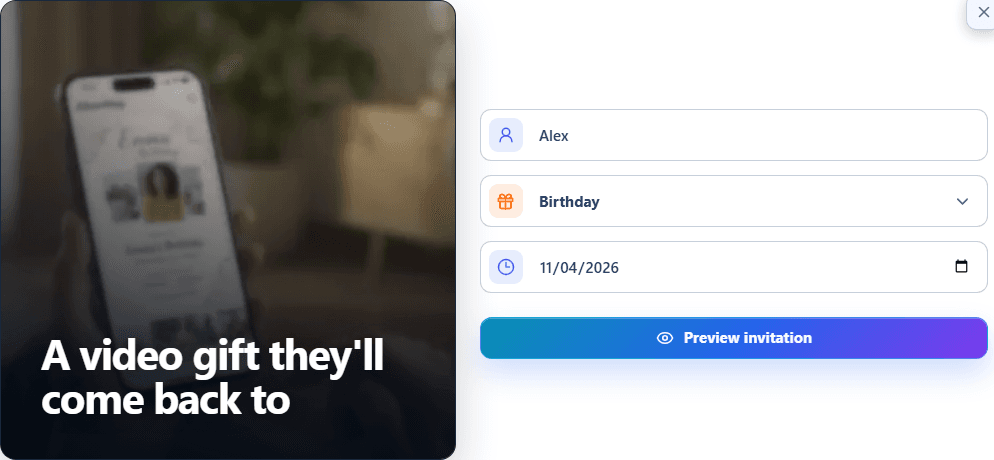
For a surprise, share the contribution link only with invited people and say explicitly that the recipient should not receive it. Ask a family member to check the guest list: a school friend or former coworker may have a story that no one in the current household can tell.
Idea card 5 of 9
Send one clear request that people can answer
Send the same link in reminders. When someone gets stuck, offer a narrower prompt rather than asking for more material. A photo plus one sentence can be more useful than a long, unfocused recording.
| Contributor | A useful prompt |
|---|---|
| Childhood friend or sibling | What did they do as a child that you still recognize in them today? |
| Partner or close family | What small thing do they do that makes everyday life better? |
| Former coworker | When did their advice or kindness make a difference to you? |
| Child or grandchild | What is your favorite thing to do together? |
| Friend who lives far away | Where are you sending this from, and what do you wish you could do together today? |
If someone wants a ready-written greeting, share these birthday wishes and message examples and ask them to add a detail of their own. For a larger group, use the birthday message collection guide to plan reminders and missing contributions.
Idea card 6 of 9
Arrange the photos, places, and voices into a story
- Sort the material into the storyboard's chapters before editing. Keep the best version of repeated photos and make a note of who still needs to be included.
- Start the birthday video workflow. If the screen-size choice appears, choose the shape for the reveal first: Horizontal for a wide TV presentation, or Vertical for a phone-first version.
- Add photos, short clips, written wishes, and the locations that belong to those memories. Group related items and put them in the intended order.
- Preview a short section before arranging everything. Check that names and faces stay visible and that the map stops explain the story.
- Use the music and style controls to support the mood. Listen to greetings carefully; where a recording is hard to hear, reduce competing music or ask for another take.
- Add a clear opening and closing. Review the whole sequence, then choose an export option that suits the screen and your sharing plans.
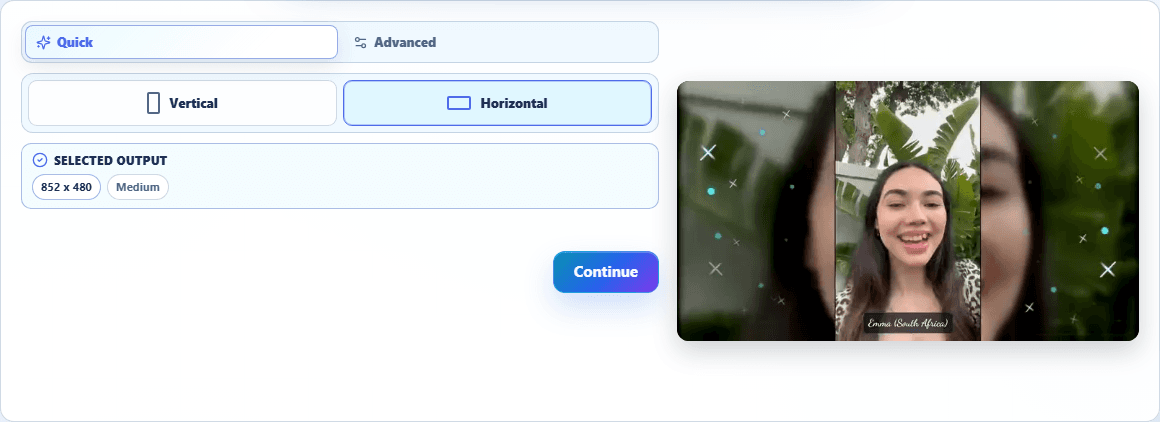
The birthday video maker explains what contributors can add and how the group workflow fits together. The current plans and export options explain output quality and payment choices. Free exports require permission for AlbumMap to feature the finished video on its public Examples page; check that this fits the contributors' expectations before choosing that option.
Idea card 7 of 9
A two-week schedule for the surprise
| When | Organizer's task | Ready when… |
|---|---|---|
| Two weeks before | Choose the theme, make the guest list, and send the invitation. | Every guest knows the prompt, deadline, and intended audience. |
| Ten days before | Check early uploads and send one friendly reminder. | Missing eras or important people are visible while there is still time. |
| One week before | Close the planned collection and review the files. | Names, dates, permissions, and unclear recordings have been checked. |
| Three days before | Arrange the storyboard, preview, and export. | The actual exported file is downloaded and plays from beginning to end. |
| The day before | Test the reveal on the intended TV, laptop, or phone. | Picture, sound, cables, and a backup copy are ready. |
If you have only a day, simplify the plan to an opening photo, a few messages, and a closing wish. Ask the most reliable contributors first and use fewer locations. A shorter complete video is easier to finish than a rushed sixty-year documentary.
Idea card 8 of 9
Check the finished video before the reveal
- Read every name and date aloud once; ask someone else to catch familiar mistakes.
- Play greetings at the volume you will use in the room. Replace an inaudible clip rather than assuming viewers will understand it.
- Give important text and old photographs enough time on screen to follow.
- Check that jokes, family history, and photographs suit the recipient and the intended audience.
- Use music you have permission to use, especially if you will publish the result online.
- Test the exported file on the actual reveal device and keep a second copy. For a TV, follow the device-specific checks in the guide below.
Use the TV slideshow playback checklist if you plan a party-screen reveal. For a private family gift, agree before posting the finished video or a reaction clip publicly.
Idea card 9 of 9
What was checked for this walkthrough
The invitation and screen-size screenshots were captured in AlbumMap on October 21, 2026 using sample details. The demonstration is an existing public birthday video. Alex, the collection brief, and the five-minute editing budget are fictional planning examples, not a report of a customer's celebration or an automatically generated result.
For another milestone, compare the 40th birthday video guide. For an ongoing collection worksheet and a playable product example, keep the birthday planning kit open alongside your project.
Your shortlist
Ideas you saved
Tap “Save to shortlist” on any idea card and it lands here, ready to compare.
- Watch a birthday video made with AlbumMap
- Worked example: Alex's 60th in five minutes
- 12 60th birthday video ideas to choose from
- Create the invitation and set a deadline
- Send one clear request that people can answer
- Arrange the photos, places, and voices into a story
- A two-week schedule for the surprise
- Check the finished video before the reveal
- What was checked for this walkthrough
Helpful answers
Frequently asked questions
How long should a 60th birthday video be?
Three to five minutes is a practical starting point for a party reveal. Use a longer keepsake if the family wants full stories. The five-minute storyboard in this guide is an editing plan, not a fixed product limit or an automatic timing preset.
What should I ask people to say in the video?
Ask for one specific memory, one thing they appreciate about the recipient, or a wish for the next chapter. Suggest a 10–20-second recording, and offer a photo with a written note for people who prefer not to speak on camera.
Do I need a photo from every year or decade?
No. Pick memories that explain the person and include voices from different parts of their life. A few strong photographs and stories work better than filling every year with repeated or unclear material.
Can distant friends contribute without an app?
AlbumMap guests use the project's private contribution link in their phone browser. The organizer can invite them to add photos, clips, written wishes, and meaningful places. Review the invitation and audience before sharing the link.
Does the video above show the sample 60th birthday project?
No. It is an existing AlbumMap birthday demonstration. Alex and the five-minute storyboard are fictional examples showing how to plan your own project.
Can I keep a free birthday video entirely private?
Free AlbumMap and slideshow exports require permission for AlbumMap to feature the video on its public Examples page. Paid export options do not require that permission. Review the current plans and the contributors' sharing expectations before exporting.